Humanize Word Documents
AI can help you draft faster in Microsoft Word, but the result often still sounds like a draft. The structure may be usable. The headings may already be in place. The document may even cover the right ideas. Even so, the writing can still feel too flat, too repetitive, or too obviously machine-shaped to share with confidence. Humanio helps you humanize Word documents so they sound clearer, more natural, and more human-written without losing the structure or meaning that made the draft useful in the first place.






- Bypass all popular AI detectors
- Keep the original meaning
- Choose the desired level of readability






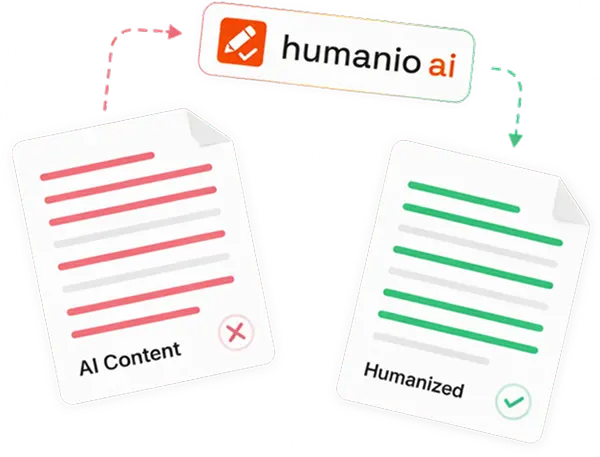
That matters because Word documents are usually tied to real outcomes. You are not polishing a random paragraph. You may be working on an essay, a report, a proposal, a research draft, a letter, or an internal document that someone actually needs to read, review, submit, or approve. If the language feels robotic, the document becomes harder to trust even when the information itself is still correct.
Humanio is built for that cleanup stage between an AI-assisted draft and a version you would actually want to save, send, or submit. We help you humanize word documents by improving flow, tone, and readability while keeping the core message, section order, and purpose of the file intact.
Humanio helps humanize Word documents by improving tone, flow, and readability without flattening the original meaning.
A strong word document humanizer should preserve structure, document intent, and formatting context instead of rewriting everything into generic prose.
Humanio is useful for essays, reports, proposals, research drafts, letters, internal documents, and other long-form Word-based writing.
Large Word documents still need section-by-section review because long-form cleanup depends on consistency, transitions, and document-level judgment.
A Word Document Humanizer Should Improve Readability Without Breaking the Draft
Most people who want to humanize Word documents already have a working draft. It may have come from AI, notes, a rough outline, or a first pass written under time pressure. What is missing is a finished feel.
A word document humanizer belongs in the editing stage. The content exists. The job is to make it read like something a real person shaped with intention.
That is where Humanio fits. We help make a Word-based draft:
easier to read
easier to scan
less repetitive
less mechanical in tone
more natural in sentence flow
better aligned with the purpose of the document
Word files often carry more weight than quick chat messages or rough notes. A proposal has to sound credible. A report has to sound clear. An essay has to feel like writing. A letter has to sound personal enough to be believable. Better wording helps the content do its job.
Structure still matters. If a rewrite disrupts the section logic, weakens the progression, or drifts away from the original point, the file becomes harder to use. Humanio improves the reading experience while keeping the substance in place.
Why AI Word Documents Still Sound Too Generic, Too Stiff, or Too Machine-Written
AI-assisted Word files often look complete before they actually feel complete. The page has headings. The sections are filled in. The argument is present. But once you read through the full document, the writing still feels too even, too formulaic, or too detached from a real voice.
That problem usually shows up in a few ways:
The document repeats the same sentence rhythm again and again.
Explanations are technically acceptable but emotionally flat.
Section transitions feel automatic rather than purposeful.
Long documents become tiring because the language never changes pace.
Business or academic wording sounds too broad to feel authored.
The file reads like a template instead of a real finished draft.
This matters more in Word than in short-form writing because readers often move through the document as a whole. They notice whether the opening sounds generic. They notice whether the middle becomes repetitive. They notice whether the final pages still feel coherent. In long-form writing, weak phrasing compounds over time.
A humanizer for Word documents has to work deeper than word swaps. The reading flow needs attention too. Humanio smooths repetitive patterns, reduces robotic phrasing, and gives long-form writing a steadier, more intentional feel.
Word-based writing usually works best when it sounds deliberate, clear, and fully owned by the person behind it. That is what gives the document credibility from beginning to end.

How Humanio Helps You Humanize Word Documents More Naturally
Humanio works best when the draft already exists and the job is to make it stronger before you save, send, or submit it. That makes it a practical fit for the workflow many people already use with Microsoft Word.
The process is straightforward:
Start with the section, page, or full draft you have in Word.
Bring the text into Humanio for cleanup and refinement.
Let us improve phrasing, flow, and natural document tone while keeping the meaning intact.
Review the revised version section by section.
Paste the final wording back into your Word file and do a final pass inside the document.
Word documents are rarely edited in one perfect pass. A draft may need cleanup in the introduction, stronger transitions in the body, and more natural language in the close. A large file may be better reviewed in sections. A proposal may need more credible phrasing. A report may need better pacing. Humanio fits that refinement layer well.
Our role is to strengthen the draft you already have. That includes improving:
repetitive long-form phrasing
awkward sentence flow
generic transitions
stiff report language
weak proposal tone
flat essay wording
mechanical explanations in research or internal drafts
If you want a broader explanation of the editing layer itself, our guide on how to humanize AI text gives the wider framework behind this kind of cleanup.
Preserve Structure, Meaning, and Formatting Context While Improving Flow
One of the biggest concerns people have when they humanize Word documents is losing the shape of the file. That concern is valid. In real document work, the text is tied to headings, lists, citations, tables, references, and formatting choices that help the document function as a whole.
A useful word document humanizer should respect that context. It should improve the writing without pretending the document is just raw text floating on its own. Humanio is built with that kind of restraint in mind.
We focus on improving the language while keeping the draft recognizable. That means protecting:
the main point of each section
the order of the document
the intent behind the wording
the surrounding formatting context
the distinction between sections, bullets, and explanations
the overall structure that makes the file usable
This is especially important when you work with longer `.docx` drafts. A document may include an executive summary, an analysis section, a methods section, a conclusion, or a set of next steps. Even if you are refining only the text, each part still needs to fit the logic of the document around it.
Humanio works best as a refinement layer. We help you humanize Microsoft Word documents while keeping their priorities, structure, and voice anchored to the original draft. The finished version should still feel like your work, only cleaner and easier to read.
If your document work overlaps with broader content production, our best AI humanizer page gives a wider view of how this category fits into different writing workflows.
Use It for Essays, Reports, Proposals, Letters, Research Drafts, and Other Long Documents
Word documents cover a wide range of real use cases, and the same writing issue appears across all of them. The draft may be functionally complete, but the wording still needs to sound more human before the file feels ready.
Humanio is useful across many Word-based workflows:
essays that need clearer flow and less robotic phrasing
reports that need stronger readability and more natural pacing
proposals that should sound more credible and less templated
research drafts that need smoother long-form language
letters that should sound personal instead of generic
internal documents that teams can actually use without rewriting
training documents that need better clarity
long-form business writing that still sounds too machine-generated
That range matters because the problem changes shape depending on the document. An essay may need a more natural student voice. A report may need cleaner explanations. A proposal may need better authority without becoming stiff. A research draft may need improved flow while preserving references and structure.
Humanio helps across those formats because the core need stays the same: the writing should feel more intentional without losing the content already built into the file.
If your Word workflow includes student-facing drafts or academic writing, our essays use case is the closest related page. If your documents lean more toward reports, proposals, and business communication, our marketing use case shows how the same refinement approach supports broader professional writing too.
Large Word Documents Need a Section-by-Section Review
Many people work with long documents, not just short files. That changes the workflow.
When a Word file runs long, document quality depends on more than line-level phrasing. You also have to think about consistency across sections, how the tone holds up over time, whether transitions still work, and whether the full piece sounds like one document instead of several stitched parts.
Large Word documents usually benefit from section-based cleanup:
Start with one section at a time instead of forcing the whole file through one pass.
Keep an eye on repeated phrasing that may appear across multiple pages.
Review section openings and endings to make sure the transitions still feel natural.
After the section-level cleanup, read the whole document once to check rhythm and consistency.
Make final adjustments in Word so the file reads smoothly from top to bottom.
This matters for long essays, research drafts, reports, white-paper-style documents, proposals, and internal manuals. A single good paragraph is not enough when the rest of the document still feels mechanical. Humanio helps improve local phrasing, and the final whole-document read helps the file feel cohesive.
Long-form work needs more care than a quick paste-and-rewrite flow. Humanio supports a slower, more realistic review process for documents that have to hold together across multiple pages.
Final Review Still Matters Before You Save or Share the Document
Even a strong AI humanizer for Word documents is one part of the editing process. Once the language is improved, take a final pass inside the actual file before you send it anywhere.
That review should focus on a few practical checks:
Make sure the final wording still matches the purpose of the document.
Review headings, bullets, and section order.
Check citations, references, and labeled items if the file includes them.
Confirm that tables, images, and surrounding text still work together logically.
Read the document once for pacing, clarity, and consistency.
Word files are working documents. The final version has to make sense as a complete file, not only as cleaned-up sentences. Humanio strengthens the draft, and human judgment decides when the document is truly ready.
Humanio improves how the document sounds before you do the final document-aware check that makes the file ready for submission, sharing, or publication.
If you want to make this cleanup step a repeatable part of your process, you can review our pricing.
Frequently asked questions





Humanio gives you a more practical way to humanize Word documents because the focus stays on real document cleanup, not empty rewriting. You get better document readability, more natural tone, stronger flow across sections, and cleaner long-form writing without losing the structure that makes the file useful. If you want to humanize Word documents for essays, reports, proposals, research drafts, or other long-form `.docx` workflows, start with Humanio. We help turn rough AI-assisted Word files into writing that feels more readable, more trustworthy, and more ready to save, send, or submit.