Humanizer for Documentation
AI can speed up documentation work, but it often leaves behind writing that feels too generic, too stiff, or too obviously machine-shaped. The steps may be correct. The structure may be usable. The content may even cover the right points. Still, the draft can read like a template instead of documentation written for real people. Humanio gives you a humanizer for documentation that helps AI-assisted docs sound clearer, more natural, and easier to trust without losing the accuracy that documentation depends on.





- Bypass all popular AI detectors
- Keep the original meaning
- Choose the desired level of readability






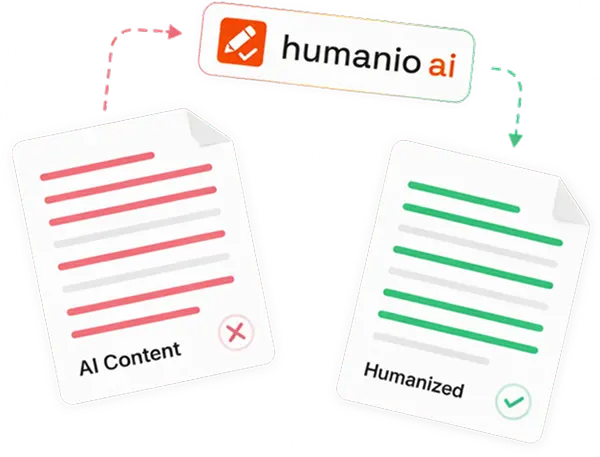
That matters because documentation is not only about getting information onto the page. It is about helping someone complete a task, understand a workflow, or solve a problem without friction. If the writing feels robotic, repetitive, or hard to scan, the content becomes less useful even when the facts are technically there.
Humanio is built for that editing layer between a rough AI draft and documentation you would actually want to publish. We help you humanize documentation so it reads more naturally while keeping the terminology, structure, and meaning that matter in technical writing.
Humanio works as a humanizer for documentation by improving tone, flow, and readability without changing the technical meaning of the draft.
A strong documentation humanizer should preserve terminology, instructions, and structure instead of rewriting everything into vague generic prose.
Humanio is useful for product documentation, API documentation, help center content, knowledge base articles, onboarding guides, and internal documentation.
Final review still matters because documentation has to match the exact workflow, audience, and system reality behind the page.
A Humanizer for Documentation Should Improve Readability Without Losing Accuracy
Most teams looking for a humanizer for documentation do not need a blank-page generator. They already have material to work with. The AI draft may contain the right process, the right feature explanation, or the right support information. The problem is that the final wording still needs work before it is ready for users, customers, teammates, or developers.
That is the real job of a documentation humanizer. It should not make the draft more decorative. It should make the documentation easier to read, easier to follow, and easier to trust while keeping the substance intact.
Humanio is built for that kind of refinement. We help improve:
documentation readability
sentence flow between steps and explanations
clarity in product documentation
natural phrasing in help center content
smoother technical documentation writing
stronger audience fit across different doc formats
The key is that better writing should not come at the cost of precision. Documentation often includes commands, navigation steps, setup instructions, warnings, definitions, and process logic. If those details shift during rewriting, the draft may sound nicer but become less useful.
That is why a useful AI humanizer for documentation has to respect the function of the content. The goal is not to make docs sound casual. The goal is to make them feel written by someone who understands the reader, the task, and the product.
Why AI Documentation Still Sounds Too Generic, Too Stiff, or Too Robotic
AI-assisted documentation often breaks down in familiar ways. The draft is not empty, but it still does not feel publishable. It sounds like it was assembled from patterns rather than written around a real use case.
That usually shows up like this:
Explanations feel flat even when they are technically correct.
Instructions use repetitive sentence rhythm that becomes tiring to read.
Product documentation sounds too broad and not specific enough to the actual workflow.
API documentation can feel dense, stiff, or overly uniform.
Help center content may answer the question, but still sound impersonal.
Internal documentation often reads like notes cleaned up by a machine instead of a guide for a real team.
These issues matter because documentation lives or dies by usability. A page can cover the right material and still be hard to use. If the language is robotic, people scan less effectively. If the flow is awkward, steps feel more complicated than they are. If the phrasing is too generic, readers may not trust that the instructions truly match the product.
This is especially common when teams use AI to accelerate first drafts for broader doc libraries. Speed goes up, but so does the risk of sameness. Pages start to sound interchangeable. Definitions lose sharpness. Sections begin to repeat the same patterns. The result is documentation that looks complete while feeling strangely thin.
Humanio helps close that gap. We refine the language layer so the content becomes easier to follow, less templated, and more natural without turning technical writing into soft marketing copy.

How Humanio Helps You Humanize Documentation More Naturally
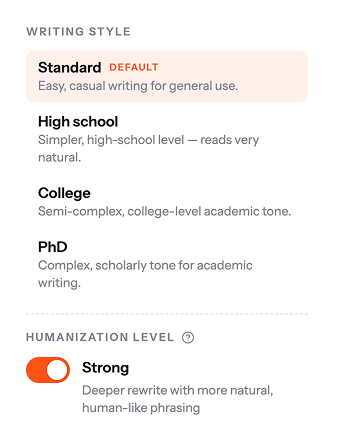
Humanio works best when you already have a rough draft, whether it came from AI, internal notes, a product team handoff, or an earlier version that still sounds too stiff. You bring in the draft, we help smooth the writing, and you keep control over the final version before publication.
The workflow is simple:
Start with a documentation draft, section block, article outline, or AI-generated page.
Let Humanio refine the language so the content sounds clearer and more natural.
Review the revised version section by section to confirm the terminology, steps, and examples still match the intended workflow.
Publish the cleaned-up version once it reads the way your audience needs it to read.
That workflow matters because documentation is rarely one-pass writing. Even strong teams need a cleanup stage. A draft may be accurate but too dense. A guide may be useful but too repetitive. A knowledge base article may solve the problem but still feel too machine-written to create confidence.
Humanio helps at that exact point. We improve the parts that slow readers down:
awkward transitions between sections
stiff explanations
robotic phrasing in repeated patterns
weak flow between steps
generic support language
flat instructional tone
The result is not random variation for its own sake. It is stronger documentation flow. You still keep the core purpose of the page, but the reading experience becomes easier and more human.
If you want a broader overview of this editing process beyond documentation alone, our guide on how to humanize AI text explains the core refinement approach in more detail.
Preserve Technical Accuracy, Terminology, and Structure While Improving Flow
One of the biggest concerns with any humanizer for documentation is simple: what if the draft sounds better but becomes less exact? That concern is valid, because documentation is not a format where you can safely trade precision for personality.
Product docs need to reflect the product as it actually works. API documentation needs to keep technical terms, parameter names, and usage logic recognizable. SOP writing needs instructions that remain clear and consistent. Internal documentation needs to support real workflows, not just sound polished on the surface.
Humanio is built around that tension. We help make documentation easier to read without stripping out the details that make it useful. That means preserving:
technical terminology
process logic
structure and order
commands and labels
definitions and constraints
audience-facing clarity
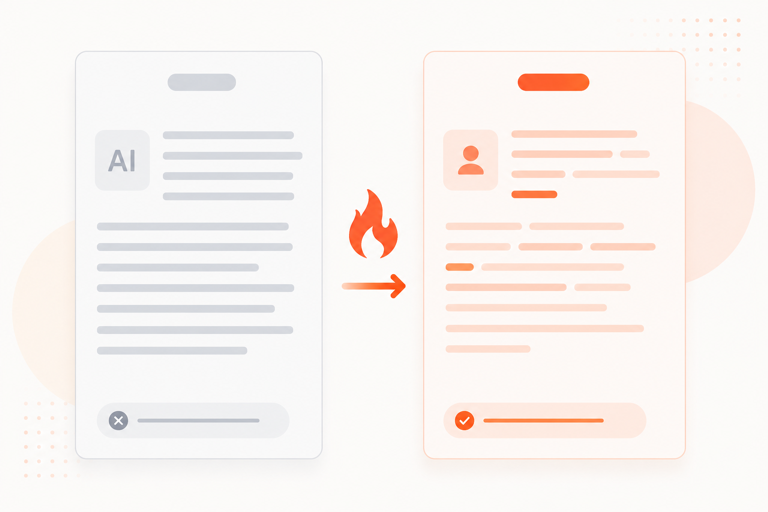
This is where a documentation humanizer needs to be smarter than a broad rewrite. It should not flatten every section into the same tone. A setup guide needs a different rhythm than a help center answer. API documentation needs a different level of density than onboarding docs. A knowledge base article needs to stay clear without losing product-specific language.
Humanio helps keep those distinctions in place while improving documentation readability. The page can still be technical. It can still be structured. It can still be precise. It just reads less like a generic generated draft and more like documentation prepared for an actual reader.
If your wider content workflow also includes broader publishing and optimization work, our blogging use case shows how the same refinement mindset can support longer-form content as well.
Use It for Product Documentation, API Docs, Help Center Content, Knowledge Base Articles, and SOPs
Documentation is not one format, and that is exactly why a narrow writing approach tends to fail. The same robotic phrasing problem appears in different ways depending on the type of document being edited.
Humanio is useful across a wide range of documentation workflows:
product documentation that needs clearer feature explanations
API documentation that should stay precise but read more smoothly
help center content that should sound more natural and less templated
knowledge base articles that need stronger flow and better scanning
onboarding docs that should guide new users without over-explaining
internal documentation that teams actually need to use day to day
SOP writing that needs consistency without stiff wording
support documentation that should be direct, useful, and easier to trust
That range matters because the writing problem changes shape across each format. A product guide may be technically solid but too abstract. An API page may be accurate but exhausting to read. A help center article may answer the question while still sounding cold. An internal workflow doc may include the right steps but fail to guide the team clearly from one action to the next.
Humanio helps unify the quality standard across all of them. The goal is not to erase structure. The goal is to make each document easier to use in the environment where it actually matters.
This also makes the page commercially relevant beyond a single team. Technical writers, support leads, product marketers, operations teams, and documentation owners all run into the same issue from different angles: AI can accelerate drafting, but the last mile still needs better writing judgment.
If your documentation work overlaps with broader content operations, the marketing use case can help connect documentation quality with wider publishing workflows.
Better Documentation Readability Helps Real Users Move Faster
The value of a humanizer for documentation is not just that the page sounds nicer. The real value is that the content becomes easier to use.
When documentation readability improves, a few practical things usually improve with it:
users can scan instructions faster
support readers can find the answer with less friction
teams spend less time rewriting repetitive internal docs by hand
technical content becomes easier to follow without turning vague
knowledge base articles feel more credible and less machine-shaped
doc libraries stay more consistent across pages
This matters because documentation is functional writing. Every awkward sentence creates drag. Every templated phrase makes a page feel less reliable. Every over-expanded paragraph makes the task look harder than it is. Better wording does not replace correct information, but it helps people reach and use that information more effectively.
That is also why Humanio fits documentation workflow so well. We are not trying to make docs flashy. We are helping remove the language friction that makes AI-assisted documentation feel unfinished.
If you are comparing tools at the category level before choosing a workflow, our page on the best AI humanizer offers broader context around the space.
Final Review Still Matters Before You Publish Documentation
Even a strong AI humanizer for documentation should be part of the process, not the whole process. Once Humanio helps improve the language, take a final pass before the page goes live.
That final review should focus on high-value checks:
Confirm the steps still match the real workflow.
Verify product names, labels, and navigation terms.
Check commands, technical examples, and user-facing instructions.
Make sure the tone fits the audience for that document type.
Review the page once for scanning, clarity, and section flow.
This matters because no documentation page exists in a vacuum. A clean draft still has to line up with the current product, the current process, and the real expectations of the audience. A tool can improve the writing, but it cannot decide whether the page is fully accurate for your environment.
That is why Humanio works best as a refinement layer. We help make the documentation stronger, more natural, and more readable before you do the final product-aware review that turns a good draft into a publishable page.
If you are ready to make documentation cleanup a more repeatable part of your team workflow, you can explore our pricing.
Frequently asked questions




Humanio gives you a stronger humanizer for documentation because the focus stays on usable writing, not empty rewriting. You get clearer technical writing, better documentation readability, smoother section flow, and more natural language without losing the structure or precision that documentation needs. If you want a humanizer for documentation that helps product docs, API docs, help center content, knowledge base articles, and internal documentation sound more natural without becoming vague, start with Humanio. We help turn rough AI-assisted drafts into documentation that feels more readable, more trustworthy, and more ready to publish.